
Email Aliases: Shop the Holidays Without Feeding the Tracking Machine
Your inbox shouldn't be a tracking tool. Here's how to shop the holidays while keeping your privacy intact. In 10 minutes, you can set up email aliases that protect your inbox from the holiday chaos and break the tracking chain.
PRIVACY BASICS
S
12/15/20255 min read
Purchases Cost More Than Money
Holiday shopping means entering your email. Black Friday deals require it. Gift delivery needs it. Concert tickets, event confirmations, shipping updates—they all ask for the same thing: your email address.
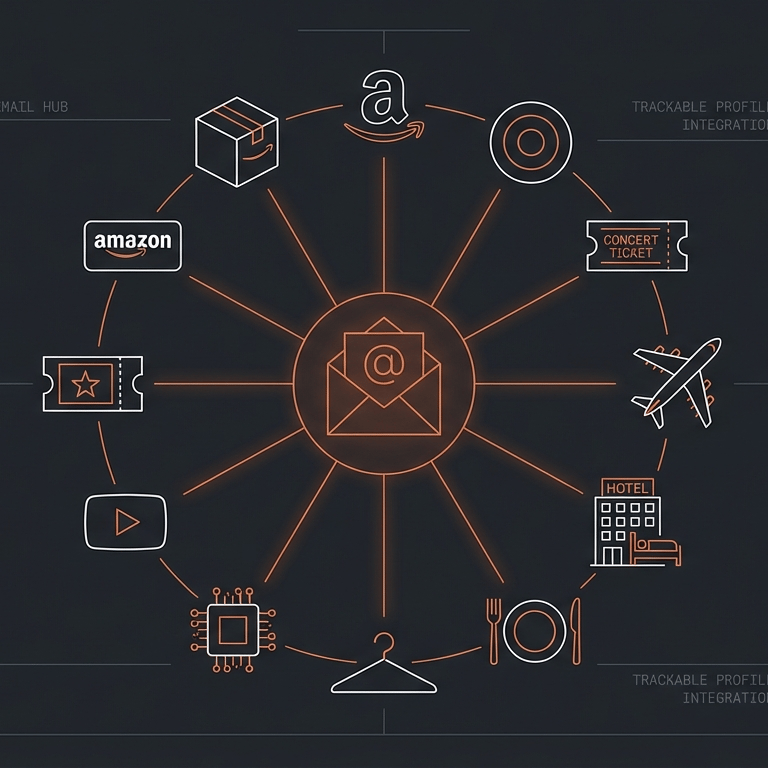
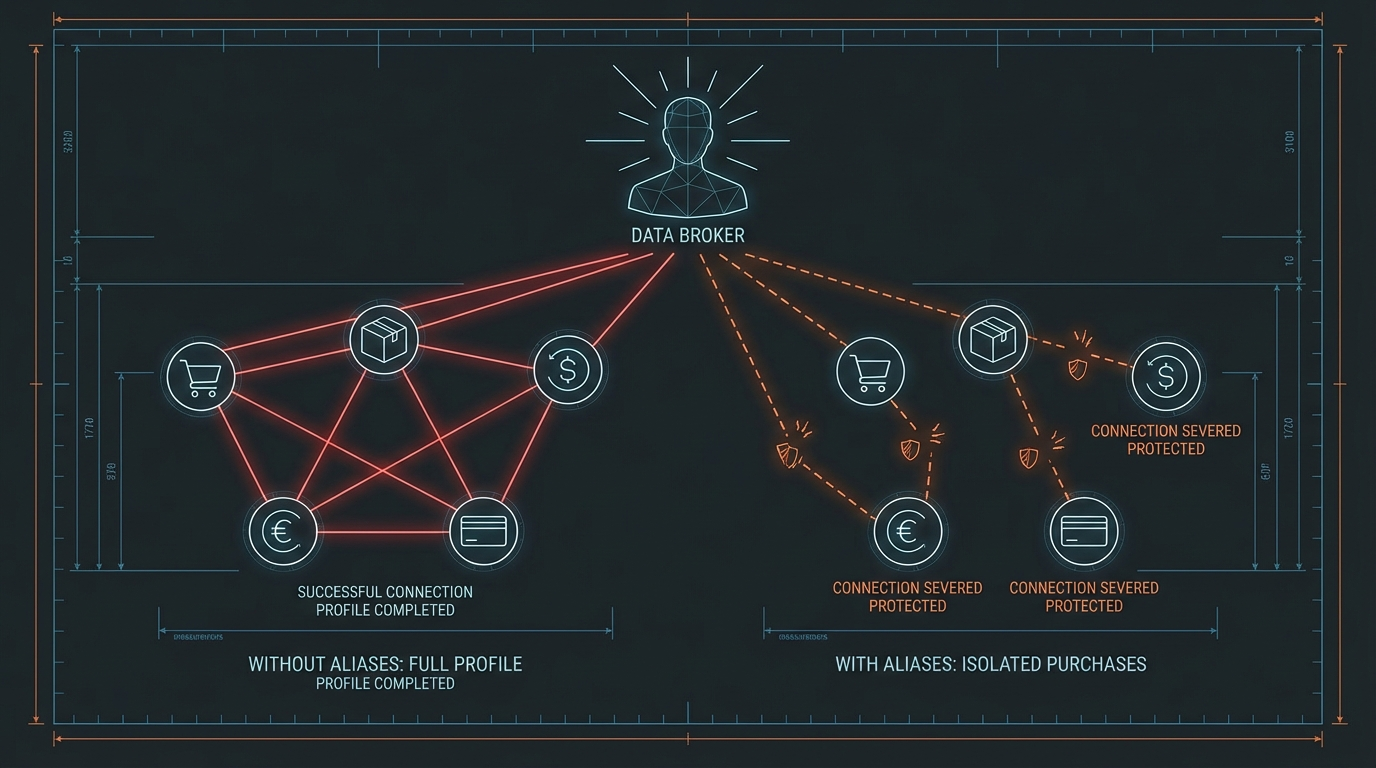
Every time you hand over that same email address, you're not just signing up for spam—you're giving data brokers a common identifier to tie together everywhere you shop, everything you buy, and everyone you buy for.
Your inbox shouldn't be a tracking tool. Here's how to shop the holidays while keeping your privacy intact. In 10 minutes, you can set up email aliases that protect your inbox from the holiday chaos—and break the tracking chain.
The Problem with Using One Email Everywhere
Using the same email everywhere starts a chain reaction. One holiday shopping season can flood your inbox with promotional emails that follow you for months—or years. You're still getting Black Friday emails in June, unsubscribing from lists you don't remember joining, and watching your inbox become someone else's billboard.
Worse than the spam, though, is what that single email address enables. When every store, every delivery service, and every deal site has the same email, data brokers can connect your purchases across all of them. They're not just building a profile of you—they're building a profile of your entire household, learning buying patterns, interests, and habits across everything your family does online.
How Email Aliases Break the Tracking Chain
Email aliases solve this problem elegantly. Think of them like having a different forwarding address for each store you shop with—they all send mail to your real inbox, but each company only knows their unique address. If one starts spamming you or sells your email, you know exactly who did it and can shut that alias down without affecting anything else.
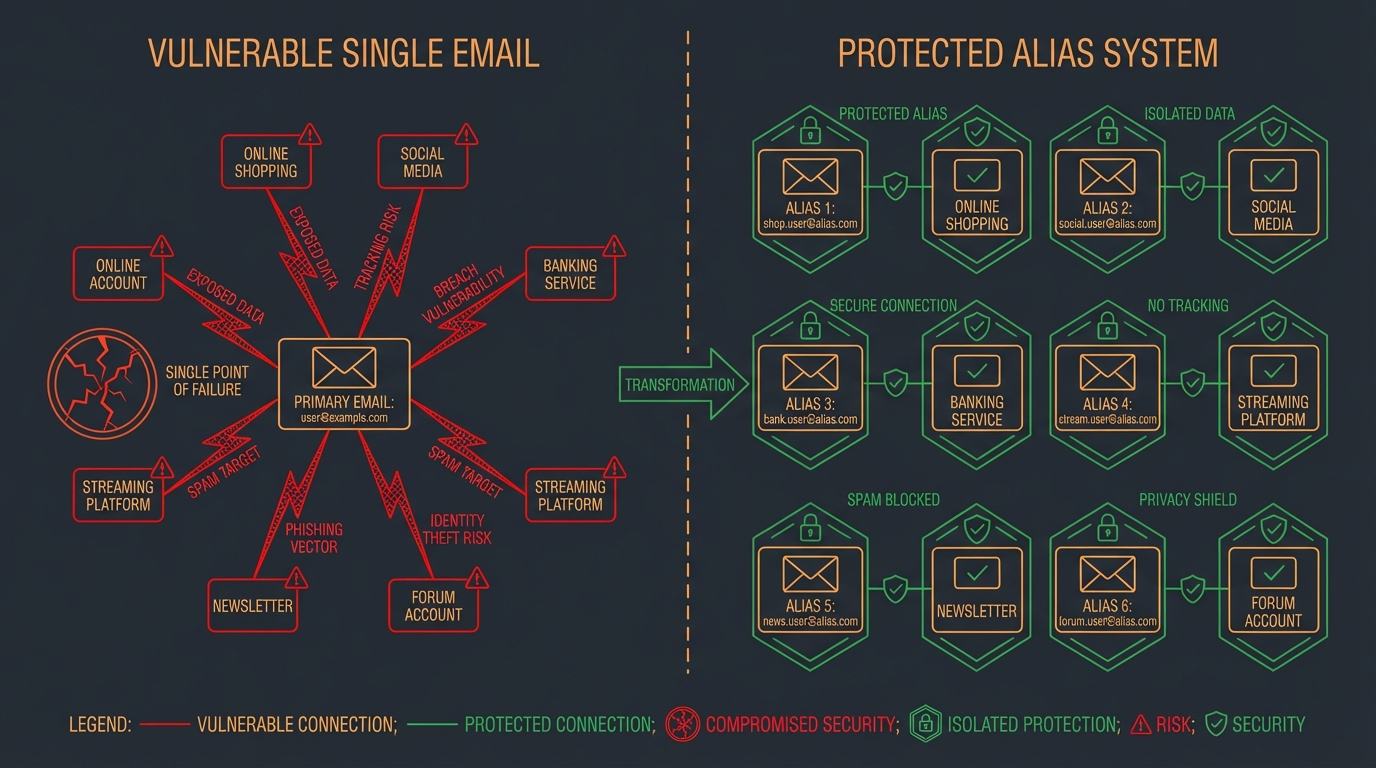
Here are two ways to start using email aliases, from easiest to most effective.
🛡️ Quick Win: Test Email Aliases in 30 Seconds
Gmail+ Method (The Quick Test)
Who this is for: Anyone with Gmail (or Outlook, Yahoo) wanting to try this concept immediately.
How it works:
Add a "+" and any word before the @ in your email.
- For Amazon: `yourname+amazon@gmail.com`
- For Target: `yourname+target@gmail.com`
- All emails still reach `yourname@gmail.com`, but you can filter them or see who sold your address.
Setup time: 30 seconds. Just type it when checking out.
The benefit:
Instant organization and tracking. You can immediately see which company emails are coming from.
⚖️ Honest tradeoff:
This is easy to defeat—companies can simply remove the "+word" part to get your real email. It also doesn't provide real privacy protection against data brokers. Think of it as training wheels before upgrading to the real thing. Perfect for understanding how aliases work, but limited for actual privacy.
🛡️ Better Privacy: SimpleLogin
The Real Solution
Who this is for:
Anyone ready for actual privacy protection (works on iPhone, Android, any computer).
How it works:
SimpleLogin generates completely random email addresses (like `shop47x@simplelogin.co`) that forward to your real email. Companies never see your actual address, and you can turn any alias off instantly if it gets spammed.
Setup time: 10 minutes
(Account creation + browser extension + first alias)
The benefit:
True privacy protection. Each alias is unique and impossible to trace back to your real email. You can:
- Create aliases on the fly
- Disable them individually
- Reply from aliases while staying anonymous
- See which aliases are getting the most email
Free tier: 10 aliases (plenty to get started with holiday shopping)
Premium: Unlimited aliases for ~$30/year if you need more
⚖️ Tradeoff:
Requires a few minutes to set up initially, and you need to remember to use it. But once you install the browser extension, it prompts you automatically when entering email addresses.
What This Looks Like in Practice
I've been using email aliases for two years now. Nothing fancy—just creating a new alias whenever I'm asked for an email address. Here's what that looks like in real numbers:
300+ aliases created (over a ~2 year span)
That's how many times companies, services, and websites have asked for my email. Each one got its own unique address instead of my real inbox.
200+ emails blocked in the last 14 days.
These have not been filtered to spam, they have been completely blocked. When an alias starts getting promotional emails I don't want, I turn it off with one click. No "unsubscribe" buttons that may or may not work. No waiting for companies to honor my request. Just... off.
Zero unsubscribe requests sent.
Because I don't need them. When I'm done with a service or a purchase is complete, I can shut down that email avenue permanently. The company can keep sending emails to that alias forever—I'll never see them.
The best part? My actual inbox only sees emails I actually want. Everything else is automatically filtered by alias—receipts go to one folder, shipping updates to another, newsletters I actually want to another. I control it all.
Here's what that looks like when you're shopping:
When you check out at Target's website, instead of entering `emaileveryoneknows@gmail.com`, you enter `target-holiday2025@simplelogin.co` (generated by simplelogin). Target sends your receipt and shipping updates to that alias, which forwards to your real inbox.
After the holidays, if Target starts sending daily promotional emails, you toggle that alias off. Done. No spam, no unsubscribe, no regret.
Meanwhile, the data broker who bought Target's customer list can't connect your Target purchase to your Amazon purchase, because they have completely different, unrelated email addresses. The tracking chain is broken.
Where to Start?
Email addresses have become tracking tools. Every time you hand over the same email to shop, sign up, or get a discount, you're connecting another dot in a profile data brokers are building about your household. Email aliases break that connection—giving you control over your inbox and your privacy.
Pick one method and create your first alias today. If you want to test the concept with zero setup, try Gmail+ on your very next online purchase. If you're ready for real privacy protection, spend 10 minutes setting up SimpleLogin before your next round of holiday shopping. Either way, don't wait—your inbox (and your family's privacy) will thank you.
Start small. You don't need to alias every email address overnight. Begin with holiday shopping and see how it works for you. Once you've protected your email, the next step is your phone number—and that's even more important. We'll tackle that next time.
Create your first email alias before your next purchase.
Privacy Made Simple
Simple tips for protecting your online privacy.
© 2025. All rights reserved.